MarkItDown: Microsoft's Swiss-Army Converter for LLM Document Ingestion
The 148k-star Python library turns PDFs, Office docs, audio, YouTube URLs, and more into clean Markdown — the lingua franca that LLMs actually understand.
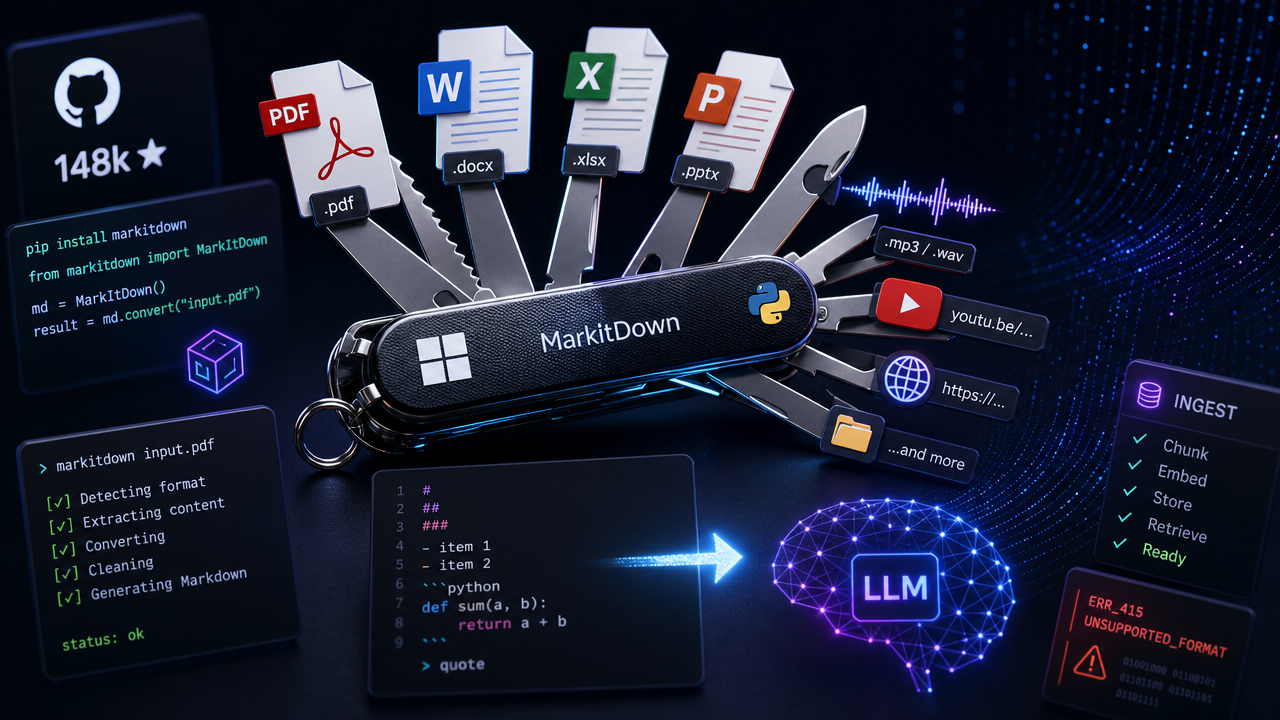
Getting raw content out of a PowerPoint deck or a scanned PDF and into an LLM context window has always been the unglamorous part of building AI pipelines. Microsoft's open-source MarkItDown tackles that problem head-on: it's a lightweight Python utility designed specifically to convert heterogeneous file formats into Markdown, ready for consumption by text-analysis tools and LLMs.
With 148k GitHub stars and over 10k forks, it has clearly struck a nerve.
What It Converts — and Why Markdown
MarkItDown's format coverage is broad:
- Office formats: PDF, Word (
.docx), Excel (.xlsx/.xls), PowerPoint (.pptx) - Media: Images (EXIF metadata + OCR), audio (EXIF metadata + speech transcription)
- Web & data: HTML, CSV, JSON, XML, YouTube URLs
- Containers: ZIP files (iterates over contents), EPubs
The project positions itself as a spiritual successor to textract, but with a different priority: preserving document structure — headings, lists, tables, links — rather than just extracting raw text.
The Markdown choice is deliberate. As the README puts it, mainstream LLMs like GPT-4o natively "speak" Markdown, likely because they were trained on vast quantities of it. There's also a practical upside: Markdown conventions are token-efficient compared to HTML or XML, which matters when you're paying per token or squeezing content into a fixed context window.
Installation and Basic Usage
MarkItDown requires Python 3.10 or higher. Install everything at once:
pip install 'markitdown[all]'
Or install only what you need:
pip install 'markitdown[pdf,docx,pptx]'
The CLI is intentionally minimal:
# Write to stdout
markitdown path-to-file.pdf > document.md

# Write to a file directly
markitdown path-to-file.pdf -o document.md

# Pipe content in
cat path-to-file.pdf | markitdown
From Python, the API is equally straightforward:
from markitdown import MarkItDown

md = MarkItDown()
result = md.convert("report.pptx")
print(result.text_content)
The Plugin System and LLM Vision
MarkItDown ships with a plugin architecture (disabled by default). Third-party plugins are discoverable on GitHub via the #markitdown-plugin tag.
One noteworthy first-party-adjacent plugin is markitdown-ocr, which extends OCR support to PDF, DOCX, PPTX, and XLSX by extracting text from embedded images using an LLM Vision backend — the same llm_client/llm_model pattern MarkItDown already exposes for image descriptions:
pip install markitdown-ocr openai
from markitdown import MarkItDown
from openai import OpenAI

md = MarkItDown(
    enable_plugins=True,
    llm_client=OpenAI(),
    llm_model="gpt-4o",
)
result = md.convert("document_with_images.pdf")
print(result.text_content)
No new ML libraries or compiled binary dependencies are required — the heavy lifting is delegated to whatever OpenAI-compatible endpoint you provide.
Security Considerations Worth Noting
One caveat the project surfaces prominently: MarkItDown performs I/O with the privileges of the current process. Think of it like open() or requests.get() — it will happily access any resource the process can reach. The project recommends sanitizing inputs in untrusted environments and calling the narrowest conversion function appropriate for the use case (convert_stream() or convert_local() rather than the catch-all convert()).
For most internal tooling or batch-processing pipelines this won't be a concern, but if you're building a user-facing service that accepts arbitrary file uploads and passes them to MarkItDown, treat it the same way you'd treat any file-processing library: validate, sandbox, and scope permissions accordingly.
MarkItDown doesn't try to be a high-fidelity document renderer — the README is explicit that the output is meant for text-analysis tools, not human-facing publication. That focus is exactly what makes it useful: it's optimized for the real-world friction point of feeding heterogeneous enterprise documents into LLM pipelines, without requiring a bespoke parser for each format.
Discussion 0
Join the discussion
Sign in with GitHub to comment and vote.
No comments yet
Be the first to weigh in.